Image Editing
Image editing has been revolutionized by artificial intelligence, transforming what once required years of Photoshop expertise into accessible, one-click solutions. Whether you're a professional photographer perfecting portraits, a social media manager creating engaging content, or an e-commerce business enhancing product photos, AI-powered image editing tools offer unprecedented speed and quality. This comprehensive guide explores the best image editing software available in 2025, covering everything from intelligent background removal and automatic color correction to advanced retouching and creative effects. You'll discover which tools match your specific needs, understand key features to look for, and learn how AI technology is making professional-grade photo editing accessible to everyone—regardless of technical skill level. From free options for casual users to enterprise-grade platforms for creative teams, we've analyzed the landscape to help you make informed decisions about your image editing toolkit.
Showing 6 of 6 tools
What is Image Editing?
What is Image Editing?
Image editing refers to the process of modifying, enhancing, or transforming digital photographs and graphics to achieve desired visual outcomes. In 2025, this field has evolved dramatically from traditional manual techniques to incorporate sophisticated artificial intelligence that can understand image content, predict user intent, and automatically apply professional-grade adjustments.
Core Concepts and Technologies
Modern image editing encompasses several fundamental capabilities:
Basic Adjustments form the foundation of any editing workflow. These include exposure correction, color balance, contrast enhancement, saturation control, and sharpness adjustments. AI-powered tools now analyze image histograms and content automatically to suggest optimal settings, turning what once required expert judgment into intelligent automation.
Advanced Retouching involves more sophisticated modifications like blemish removal, skin smoothing, teeth whitening, and body reshaping. Machine learning models trained on millions of images can now distinguish between natural textures that should be preserved and imperfections that should be corrected, delivering results that look professionally retouched rather than artificially processed.
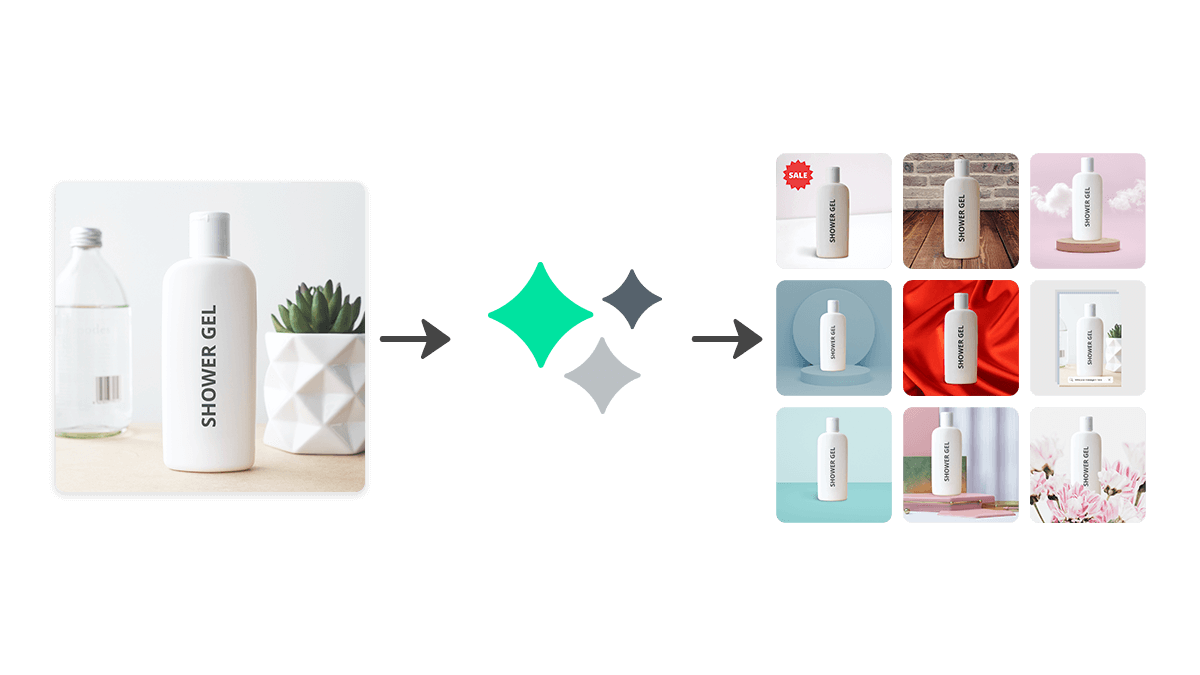
Object Manipulation includes removing unwanted elements, replacing backgrounds, adding or duplicating objects, and seamlessly blending modifications. Neural networks using generative AI can now fill in removed areas with contextually appropriate content, making complex edits that previously required hours of manual work possible in seconds.
Creative Effects and Filters range from artistic style transfers that transform photos into paintings, to selective color grading, dramatic lighting adjustments, and specialized effects like bokeh enhancement or weather modifications.
Common Use Cases and Workflows
Image editing serves diverse purposes across multiple industries:
Professional Photography relies heavily on editing software for post-processing RAW images, batch editing large photo shoots, creating consistent color profiles across series, and delivering polished final products to clients. Wedding photographers might process hundreds of images per event, while commercial photographers perfect every detail for advertising campaigns.
E-commerce and Product Photography demands consistent, clean product images with precise color accuracy, neutral backgrounds, and appropriate sizing. AI tools can automatically remove backgrounds, correct lighting inconsistencies, and ensure products look appealing while remaining true to reality—crucial for reducing returns and building customer trust.
Social Media and Content Creation represents one of the fastest-growing use cases. Influencers, marketers, and everyday users edit billions of images monthly for Instagram, Facebook, TikTok, and other platforms. Quick enhancements, trending filters, text overlays, and attention-grabbing effects help content stand out in crowded feeds.
Marketing and Advertising professionals create compelling visual content for campaigns, websites, email marketing, and promotional materials. They often need to resize images for multiple platforms, create variations for A/B testing, and ensure brand consistency across assets.
Real Estate and Architecture uses image editing to enhance property photos, correct perspective distortion, improve lighting in interior shots, and create virtual staging—digitally furnishing empty spaces to help potential buyers envision possibilities.
Who Benefits Most from These Tools?
Creative Professionals including photographers, graphic designers, and digital artists represent the traditional core user base. They require powerful features, non-destructive editing capabilities, and precise control over every aspect of their images.
Small Business Owners without dedicated design teams benefit tremendously from user-friendly AI tools that deliver professional results without requiring technical expertise. Restaurant owners editing menu photos, boutique shops preparing product listings, and service providers creating marketing materials can now produce quality visuals independently.
Marketing Teams at organizations of all sizes use image editing daily for campaigns, social media, websites, and promotional content. Tools with collaboration features, brand asset libraries, and batch processing capabilities significantly improve workflow efficiency.
Casual Users and Hobbyists represent the largest and fastest-growing segment. Smartphone photographers, social media users, and anyone wanting to improve personal photos can access sophisticated editing capabilities that were professional-exclusive just years ago.
Current Trends and Statistics
The image editing market has experienced explosive growth, valued at over $4 billion globally in 2024 and projected to exceed $7 billion by 2028. This growth is driven primarily by AI integration and mobile editing adoption.
Key trends shaping the industry include:
- AI-First Design: Over 80% of new image editing tools launched in 2024 featured AI as a core capability rather than an add-on
- Mobile Dominance: Mobile editing apps now account for 65% of all image editing activity, with desktop software increasingly offering companion mobile apps
- Subscription Models: Cloud-based subscription services have largely replaced perpetual licenses, enabling continuous feature updates and cross-device syncing
- Generative AI Integration: Tools incorporating generative AI for content-aware fill, object generation, and image expansion have seen 300% growth in user adoption
- Real-Time Collaboration: Team-based editing with simultaneous access, commenting, and approval workflows mirrors the collaboration revolution seen in document editing
The democratization of professional-grade image editing continues accelerating, with tools becoming more intuitive while simultaneously more powerful—a combination that benefits users across all skill levels and use cases.
Frequently Asked Questions
Common questions about Image Editing